ChatGPT and other general-purpose AI assistants can support almost every stage of content creation, from keyword research and outlining to drafting, editing, and visual planning. However, using one tool for everything is not always the most efficient approach.
Specialized tools can offer additional advantages, such as web-assisted research, long-form editing, on-page SEO analysis, and visual asset production. The challenge is deciding which tools genuinely improve your workflow and which simply add cost and complexity.
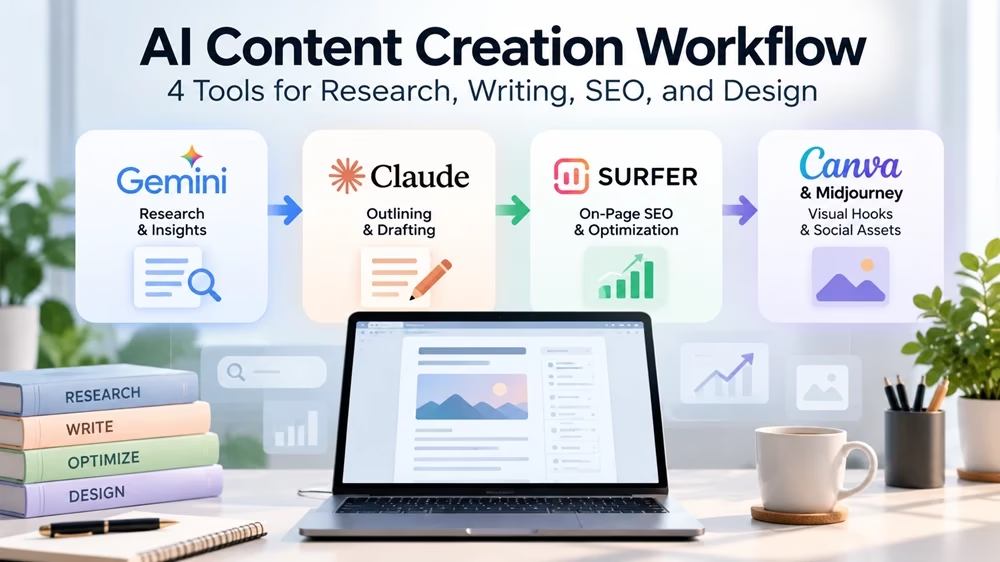
In this guide, I will show you a four-stage AI content workflow using Google Gemini for research, Claude for drafting, Surfer SEO for content optimization, and Canva AI or Midjourney for visual assets.
You will learn how to use each tool, transfer information between the tools, verify important claims, and maintain editorial quality without relying blindly on AI-generated output.
The goal is not to use more AI tools. It is to produce accurate, useful, well-optimized content with less wasted effort.
This article is especially useful for content strategists, digital marketers, SEO specialists, and agency owners who are heavily involved in content writing.
The 4 AI Tools
1. Google Gemini → Research, intent, and topic clustering
2. Anthropic Claude → Long-form drafting and brand voice alignment
3. Surfer SEO & GEO →NLP term density and entity optimization
4. Canva AI / Midjourney → Visual assets and social graphics
Here is how I use the four tools to boost output, enforce E-E-A-T (Experience, Expertise, Authoritativeness, and Trustworthiness) signals, and secure rankings across search engines and AI engines alike.
Tool 1: Google Gemini — Live Web Research & Search Intent Extraction
The Common Pitfall
The AI tools you use may generate outdated statistics, incorrect information, or unreliable citations. Even when they search the web, their answers may contain errors or misinterpret sources.
Why Gemini Leads Phase 1
Google Gemini can help content marketers research topics, explore search intent, discover relevant web sources, and identify common user questions. Its web search capabilities can help uncover current information and organize findings into a structured content brief. However, you should always verify important facts against the original sources.
Workflow Execution
Identify user pain points and search intent.
Explore search results and identify common questions for potential FAQ sections.
Find recent statistics and industry trends from reputable sources, verifying each claim against its original source.
Organize the findings into a content brief with relevant source links.
Act as an experienced SEO strategist and content researcher.
I am writing an in-depth article for [INSERT TARGET AUDIENCE] about [INSERT TOPIC].
Research this topic using available web search capabilities and prepare a structured content brief containing:
Search Intent: Identify the reader’s main questions, needs, and problems.
Key Questions: List five relevant questions people may ask about this topic. Distinguish questions found in actual search results from suggested questions.
Facts and Sources: Find three recent statistics, findings, or industry developments from reputable sources. Provide source titles, publication dates, and URLs. Never invent statistics or citations.
Semantic Topics: Identify eight relevant concepts, entities, or subtopics that could improve the article’s completeness.
Competitor Gaps: Identify useful information that competing articles may overlook, based on the sources you can access.
Content Outline: Suggest a logical H2 and H3 heading structure that addresses the reader’s needs.
Important instructions:
Prefer primary sources and authoritative references.
Verify that each source supports the associated claim.
Clearly flag information that cannot be verified.
Separate confirmed facts from assumptions and recommendations.
Avoid suggesting keywords or subtopics that are irrelevant to the audience.
Format the result as a clear, organized content brief with source links.
I don’t want this article to be too long. So, to save space, I’m not including the screenshot of the content brief generated by Gemini. Do it yourself and see the results. But don’t forget to check the output for facts and accuracy.
Tool 2: Anthropic Claude — Outlining, Drafting & Brand Voice Control
The Common Pitfall
AI-generated drafts often contain repetitive phrases, generic introductions, and unnecessary jargon. Without your clear instructions and careful editing, the content may lack originality and fail to reflect your brand’s voice.
Why Claude Leads Phase 2
Claude can help transform a research brief into a well-structured article with a consistent tone and clear explanations. It follows the detailed writing instructions, organizes long-form content, and reduces repetitive language. However, the quality of the output depends on your prompt, source material, and human editing.
Workflow Execution
- Feed the verified research brief from Gemini into Claude.
- Ask Claude to answer the reader’s main question clearly at the beginning of each relevant section.
- Provide your brand guidelines and instruct Claude to avoid generic phrases, unnecessary jargon, and repetitive wording.
- Review the draft for factual accuracy, originality, and consistency before publishing.
Act as an experienced content writer specializing in [INSERT INDUSTRY OR TOPIC].
Using the verified research brief below, write a comprehensive article about [INSERT TOPIC] for [INSERT TARGET AUDIENCE].
Research Brief:
[PASTE VERIFIED RESEARCH BRIEF HERE]Follow these instructions:
Writing Style: Use a clear, natural, conversational, and informative tone. Prioritize accuracy and reader value over unnecessary length.
Structure: Use a logical H2/H3 heading hierarchy, concise paragraphs, and bullet points where appropriate.
Answer-First Writing: Answer the reader’s main question at the beginning of relevant sections before providing supporting details.
Practical Value: Include specific examples, actionable advice, and step-by-step instructions where appropriate.
Brand Voice: Follow these brand guidelines: [INSERT BRAND VOICE OR STYLE GUIDE].
Avoid Repetition: Remove generic introductions, repetitive explanations, unnecessary jargon, and empty filler phrases.
Factual Accuracy: Use only claims supported by the research brief or other verifiable sources. Flag claims requiring further verification.
Originality: Do not copy source material or invent personal experiences, case studies, statistics, or test results.
Limitations: Explain relevant drawbacks, exceptions, and uncertainties instead of making exaggerated claims.
Finish with a useful conclusion that summarizes the main takeaways and suggests practical next steps.
Before presenting the article, identify any important factual claims that still require verification.
Due to this prompt, Claude will write the article for you. Read the article and check for any adjustments or improvements before proceeding to the next step below.
Tool 3: Surfer SEO — On-Page NLP & Generative Engine Optimization (GEO)
The Common Pitfall
In the step above, Claude may miss important subtopics and relevant terms, making it less comprehensive and less relevant to the reader’s search intent. However, adding keywords without considering their context can lead to unnatural writing and keyword stuffing.
Why Surfer SEO Leads Phase 3
Surfer SEO helps identify content gaps, relevant terms, and on-page optimization opportunities by analyzing competing pages online. Its recommendations can help improve topic coverage and content structure, but a high content score does not guarantee better rankings or AI search citations.
Workflow Execution
- Import the draft from Claude into Surfer’s Content Editor.
- Review suggestions for missing topics, relevant terms, and structural improvements.
- Incorporate only relevant suggestions that improve the article’s completeness and readability. Don’t insert keywords forcefully and avoid unnecessary repetition.
Act as an experienced SEO content editor.
I have drafted an article and received content optimization suggestions from an SEO tool.
Article Topic: [INSERT TOPIC]
Suggested Terms and Topics:
[PASTE RELEVANT TERMS AND TOPICS HERE]Draft Section:
[PASTE ARTICLE SECTION HERE]Review the suggestions and improve the draft according to these instructions:
Identify which suggested terms and topics are genuinely relevant to the article’s subject and search intent.
Incorporate relevant concepts naturally where they improve clarity, completeness, or usefulness.
Preserve the original meaning, factual accuracy, and intended audience.
Do not force keywords into sentences or add unnecessary repetition merely to increase a content score.
Identify missing explanations, examples, or subtopics that would materially improve the article.
Flag suggestions that are irrelevant, misleading, redundant, or unsupported.
Maintain a natural writing style and clear heading structure.
Output:
Provide the improved draft.
Highlight substantial changes and newly incorporated terms in bold.
Briefly explain important content gaps that remain.
List any suggestions you deliberately rejected and explain why.
Prioritize reader value and topical completeness over achieving a particular optimization score.
Now, you receive an improved article. Read it and check for accuracy.
Tool 4: Canva AI & Midjourney — Visual Hooks & Social Assets
The Common Pitfall
Text-only articles may be harder to read; they need useful visuals. Generic stock images often add little value, especially when explaining complex concepts or processes.
Why Canva AI & Midjourney Lead Phase 4
Canva AI helps you create branded graphics, infographics, and social media designs, while Midjourney specializes in generating creative images from text prompts. Using either tool—or combining them—can help produce relevant visual assets that support the article and make complex ideas easier to understand.
Workflow Execution
Create a relevant featured image using Midjourney or Canva AI.
Turn important data, concepts, or processes into clear, easy-to-understand graphics using Canva.
Repurpose key takeaways into LinkedIn carousels and other social media visuals.
Create a professional visual concept for an article about [INSERT ARTICLE TOPIC], intended for [INSERT TARGET AUDIENCE].
Visual Style: Modern, clean, minimalist, and suitable for a professional digital marketing website.
Design Requirements:
Communicate the article’s central idea through a clear visual hierarchy.
Use relevant visual elements rather than decorative elements that add no meaning.
Maintain a balanced composition, readable focal points, and sufficient negative space.
Use a consistent professional color palette that complements the website’s branding.
Avoid clutter, unnecessary interface elements, watermarks, and misleading representations.
Do not include statistics, logos, or factual claims unless they have been supplied and verified.
Avoid generating embedded text where accurate spelling and readability cannot be guaranteed.
Primary Visual Concept:
[DESCRIBE THE ARTICLE’S MAIN IDEA OR WORKFLOW]Optional Workflow Diagram:
If the topic involves a process, illustrate its main stages in sequence:
[INSERT WORKFLOW STAGES]Output Requirements:
Create a relevant featured-image concept with a composition suitable for a website article. If a workflow diagram or infographic is needed, provide a clear visual concept that can be refined in Canva.The final visual should help readers understand the topic rather than merely decorate the page.
Check the image for any improvement with the tool itself.
Workflow Integration & Efficiency Metrics
By assigning distinct tasks to specialized AI tools, you save time while producing content that meets editorial and search standards. Here is a summary of the workflow:
| Workflow Stage | Tool | Intended Benefit | How to Measure Success |
|---|---|---|---|
| Research | Google Gemini | Faster discovery of sources and search questions | Research time and source accuracy |
| Drafting | Claude | Structured drafts aligned with editorial requirements | Editing time and editorial quality |
| Optimization | Surfer SEO | Identification of relevant topics and on-page content gaps | Coverage of important subtopics and editorial relevance |
| Visual Production | Canva AI or Midjourney | Faster creation of suitable visual assets | Production time and visual usefulness |
Practice: Build One Article from Research to Publication
For instance, let’s try creating an article for your website with the workflow. Imagine it is about the best SEO tools for small businesses:
Stage 1: Research with Gemini
Use the Google Gemini prompt mentioned above. See the output, then verify the sources manually.
Stage 2: Draft with Claude
Next, as in stage 1, use the Claude prompt to get a structured first draft.
Stage 3: Optimize with Surfer SEO
Import the draft into the optimization tool as mentioned above. Review recommendations by it. Reject recommendations that would introduce irrelevant keywords or unnecessary repetition.
This will produce an editorially improved draft, not simply a higher-scoring one.
Stage 4: Create visuals with Canva or Midjourney
With the prompt given above, produce a visual that explains something important in the article. Use Canva to create the final branded layout, or use Midjourney to generate an illustrative background or conceptual image.
This will produce a relevant featured image and any supporting graphics.
Stage 5: Conduct the final editorial review
Your article ends the main workflow after visual production. Now, a crucial stage remains for you.
Before publication, a human editor should verify:
- All factual claims.
- Source accuracy.
- Product features and limitations.
- Originality and usefulness.
- Search intent alignment.
- Internal links.
- Image quality and accessibility.
- Commercial disclosures where applicable.
This fifth stage is essential. AI-assisted content production should not end when the last tool finishes its task.
Do You Really Need Four AI Tools?
Not necessarily. Using four specialized AI tools can improve your content creation workflow, but it also adds subscription costs and complexity. The right setup depends on your content needs, budget, and publishing frequency. A single AI assistant may be enough for beginners, while professional content teams may benefit from specialized tools.
| User Type | Recommended Setup | Why It Works |
|---|---|---|
| Beginner Blogger | One general-purpose AI assistant like ChatGPT | Keeps the workflow simple and affordable while supporting research, writing, and editing. |
| Freelance Content Writer | AI research and writing tools, with SEO tools when needed | Helps speed up content production without requiring multiple subscriptions from the start. |
| SEO Specialist | Research, writing, and a dedicated SEO optimization tool | Provides additional insights into search intent, topic coverage, and on-page optimization opportunities. |
| Content Marketing Team | Research, drafting, SEO, and design tools | Supports a repeatable workflow for producing and managing content across multiple channels. |
| Digital Marketing Agency | A standardized AI tool stack with editorial quality checks | Helps teams manage multiple clients, maintain brand consistency, and review content before publication. |
Before investing in multiple tools, ask yourself three questions:
- Can a free tool do the job? Test whether your existing tools can meet your needs before paying for additional features.
- Will a specialized tool save enough time? Compare its cost with the time and effort it actually saves.
- Does switching between tools improve quality? Use another tool only when it adds a clear benefit, such as better research, more useful SEO insights, or improved visual design.
Bottom line: You do not need four AI tools to create quality content. Start with the tools you already have, identify workflow gaps, and add specialized tools only when they provide measurable value. Regardless of the tools you use, verify facts and review every article before publishing.
Final Takeaway for Modern Marketers
If a single AI chat tool creates unnecessary quality bottlenecks for complex marketing tasks, try combining Gemini, Claude, Surfer SEO, and Canva AI, which turns a generic text generator into a high-performance content engine.
This modular workflow ensures every article you publish is backed by current web research, written in a clear brand voice, optimized for organic and AI search, and supported by custom visuals.
Learn more:
If you are looking for an AI tool with a low single-payment lifetime deal, visit AppSumo.
Please leave your experience in the comment section if you have tried these four tools.
Disclosure: We are partners or associates of Amazon and other top brands. We may earn a small amount from qualifying purchases without increasing the price. Please read our full affiliate disclosure here.

