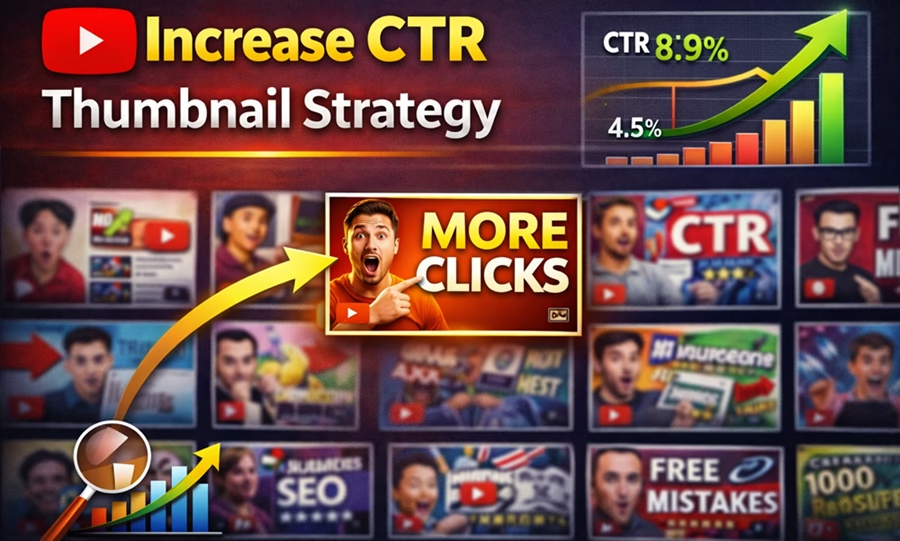
If your YouTube videos are getting impressions but not enough clicks, the problem is usually not the topic. It is the thumbnail.
CTR, or click-through rate, tells you how many people clicked your video after seeing it. A strong CTR means your title and thumbnail are doing their job. A weak CTR means people are seeing your video but not choosing it.
That is why thumbnail strategy matters so much. A great thumbnail can turn an average video into a winner. A weak thumbnail can bury even a good video.
In this guide, you will learn how to optimize CTR with a thumbnail strategy that gets more clicks without using misleading tactics.
Table of Contents
Why CTR matters
YouTube wants to show videos that people click and keep watching. When your CTR is strong, YouTube has more reason to keep testing your video with new viewers.
CTR matters because it helps with:
- getting more impressions
- improving video performance early
- increasing traffic from search and suggested videos
- turning good topics into strong-performing videos
A good thumbnail does not just look nice. It helps the right viewer understand the value of the video instantly.
CTR is a key ranking factor. Learn the complete strategy in our YouTube SEO guide.

What makes a thumbnail of a YouTube video highly clickable?
A high-click thumbnail usually has three things:
- Clarity
The viewer should understand the idea in less than a second. - Curiosity
The thumbnail should make the viewer want to know more. - Relevance
It must match the title and the actual content of the video.
If one of these is missing, CTR usually suffers.
#Step 1: Start with a strong topic
Thumbnail strategy begins before design. A weak topic is hard to fix with a thumbnail, while a strong topic gives you room to win clicks.
A strong YouTube topic:
- solves a clear problem
- has emotional or practical value
- matches what your audience already wants
- is specific enough to be understood fast
For example, if you create a video on how to rank on Google in the AI era, it gives your thumbnail a clear direction.
Choosing the right topic also impacts CTR. Read our guide on low-competition YouTube topics.
#Step 2: Make one visual idea the focus
The biggest mistake creators make is trying to put too much into one thumbnail. If the viewer has to think too hard, they scroll past it.
A good thumbnail should usually focus on one main idea:
- one emotion
- one object
- one result
- one question
- one contrast
Examples:
- Before vs after
- Growth arrow
- Shocked face
- Number badge
- Broken chain
- Ranking chart
Do not clutter the image with too many icons, words, or background elements. One idea is enough.
#Step 3: Use bold, readable text
Thumbnail text is not mandatory, but when you use it well, it can improve CTR.
Best practices:
- keep text short
- use 2 to 4 words
- make it large
- use simple language
- place it where it is easy to read on mobile
Examples:
- RANK #1
- NO BACKLINKS
- MORE CLICKS
- GROW FAST
- BIG MISTAKE
Avoid long sentences. A thumbnail is not a paragraph. It is a visual hook.
Remember: 63–70% of YouTube watch time occurs on mobile. Test your thumbnails at a 10% scale to ensure text and focal points remain crisp on small screens.
#Step 4: Match the thumbnail to the title
A strong title and thumbnail work together. The title gives context. The thumbnail adds emotional pull.
For example:
Title: How to Rank YouTube Videos Without Backlinks
Thumbnail text: NO BACKLINKS
This works because the title explains the topic and the thumbnail reinforces the promise.
If the title says one thing and the thumbnail suggests another, viewers lose trust. That hurts clicks and watch time.
#Step 5: Use contrast to stand out
A thumbnail has to compete with many other videos on mobile screens. Contrast helps your image stand out fast.
Use these ways of contrast to make it stand out:
- bright text on dark background
- dark text on light background
- one bold color against neutral colors
- highlighted subject separated from the background
- red, yellow, or white used strategically
The goal is to make the thumbnail instantly visible even at small sizes.
#Step 6: Show emotion when it fits
People click on people. An emotionally expressive face can increase curiosity and draw attention. Thumbnails with expressive faces can increase CTR by 20–30%. Make it lively, not a static poster.
Useful emotions you can use include:
- surprise
- confidence
- urgency
- excitement
- concern
This works especially well for:
- tutorial videos
- growth videos
- mistake-based videos
- reaction-style content
- transformation content
Note: Do not force expression if it does not fit your brand. The emotion should feel natural and relevant.
#Step 7: Use numbers carefully
Numbers can boost CTR because they make the promise feel specific.
Examples:
- 3 thumbnail tricks
- 5 mistakes
- 7-day workflow
- 1,000 subscribers
- #1 on YouTube
Numbers work best when they create a clear expectation. They help the viewer quickly understand the value.
But do not overload the thumbnail with too many numbers. One strong number is enough.
#Step 8: Create curiosity without confusion
Curiosity is powerful, but confusing thumbnails do not work.
A good curiosity thumbnail makes people ask:
- What is this?
- Why did this happen?
- How does this work?
- What am I missing?
A bad curiosity thumbnail makes people ask:
- What is this about?
- What does that mean?
- Why is this so random?
The difference is clarity. The viewer should be curious, not lost.
#Step 9: Keep the design simple
Simple thumbnails usually perform better than complex ones because they are easier to process.
A good layout often includes:
- one subject
- one main visual
- one short text block
- one clear focal point
Avoid:
- too many fonts
- too many colors
- too many objects
- tiny unreadable text
- unnecessary decorative elements
When in doubt, remove more. Simpler often means stronger.
Combine thumbnail optimization with the right tools from our best free YouTube tools guide.
#Step 10: Test and improve thumbnails over time
Thumbnail optimization is not a one-time task. It is an ongoing process.
If a video has low CTR, test a new thumbnail. If a video performs well, study what made it work.
Watch these patterns:
- Which colors get more clicks?
- Which thumbnail style gets better results?
- Do faces perform better than screenshots?
- Do numbers improve CTR?
- Do bold words help or hurt?
Over time, your channel will develop a thumbnail style that matches your audience.
Tip: Use YouTube’s “Test & Compare” feature. It allows creators to run concurrent tests on up to three variations to determine which drives the most watch time.
Popular Free Thumbnail Generators
YouTube thumbnails can be created using any image editor. However, there are some free handy tools you can try:
Canva – An online tool with a huge library of free YouTube‑sized templates, an easy drag‑and‑drop editor, and solid stock photos that is enough for most thumbnail work.
Fotor – A free AI thumbnail generator with auto‑cutout and filters that can create quick, eye‑catching thumbnails.
vidIQ – A popular YouTube video optimization tool that can generate thumbnails.
Pixelbin AI Thumbnail Generator – It generates YouTube‑style thumbnails quickly from text prompts.
Fliki AI Thumbnail Maker – Another free AI thumbnail generator with no watermark and multiple AI models, along with built‑in YouTube templates.
Common thumbnail mistakes that hurt CTR
Here are some of the most common problems:
- Too much text
- Weak contrast
- No clear subject
- Misleading image
- Boring layout
- Similar-looking thumbnails across unrelated topics
- Overediting
- Poor mobile readability
If your thumbnail looks like everything else, it will get ignored.
A simple thumbnail formula that works
Use this formula: Topic + Emotion + Result
Examples:
- YouTube SEO + ranking chart + #1 position
- Subscriber growth + excited creator + 1,000 badge
- Mistakes + warning icon + red arrow down
- Free tools + dashboard visuals + growth arrow
This formula keeps your design focused and easy to understand.
Thumbnail CTR optimization checklist
Before you upload, ask:
- Can someone understand this in one second?
- Is there one clear focal point?
- Is the text short and readable?
- Does the thumbnail match the title?
- Does it create curiosity?
- Would I click this on my phone?
- Does it stand out from other videos?
If the answer is yes to most of these, your thumbnail is in good shape.
Thumbnail Strategies for 2026:
The “One-Second” Rule: Can a viewer understand the value in under one second?
The “0-4 Word” Rule: If text is used, keep it to 4 words or fewer and ensure it complements (rather than repeats) the title.
Color Contrast: Use high-contrast color combinations (like Red/White or Yellow/Black) to “stop the scroll” in a crowded feed.
CTR and retention work together. Learn how to improve both in our guide to ranking videos without backlinks.
Final thoughts
CTR optimization starts with understanding the viewer. Your thumbnail should not just look attractive. It should communicate value instantly, create curiosity, and make the viewer want to click.
The best thumbnail strategy, as we have learned, is simple:
- pick a strong topic
- keep one clear visual idea
- use short bold text
- match the title
- test and improve
If you do that consistently, your videos will get more clicks and better chances of ranking.
Frequently Asked Questions
What is CTR in YouTube?
CTR stands for click-through rate. It shows how many people clicked your video after seeing it.
What is a good CTR for YouTube videos?
A good CTR depends on the topic and audience, but the main goal is to improve over time and compare performance video by video.
Do thumbnails really affect YouTube growth?
Yes. Thumbnails are one of the biggest factors in getting clicks, which directly affects video performance.
Should I use text on every thumbnail?
No. Use text only when it adds clarity or curiosity. Some thumbnails work better without text.



Disclosure: We are partners or associates of Amazon and other top brands. We may earn a small amount from qualifying purchases without increasing the price. Please read our full affiliate disclosure here.

