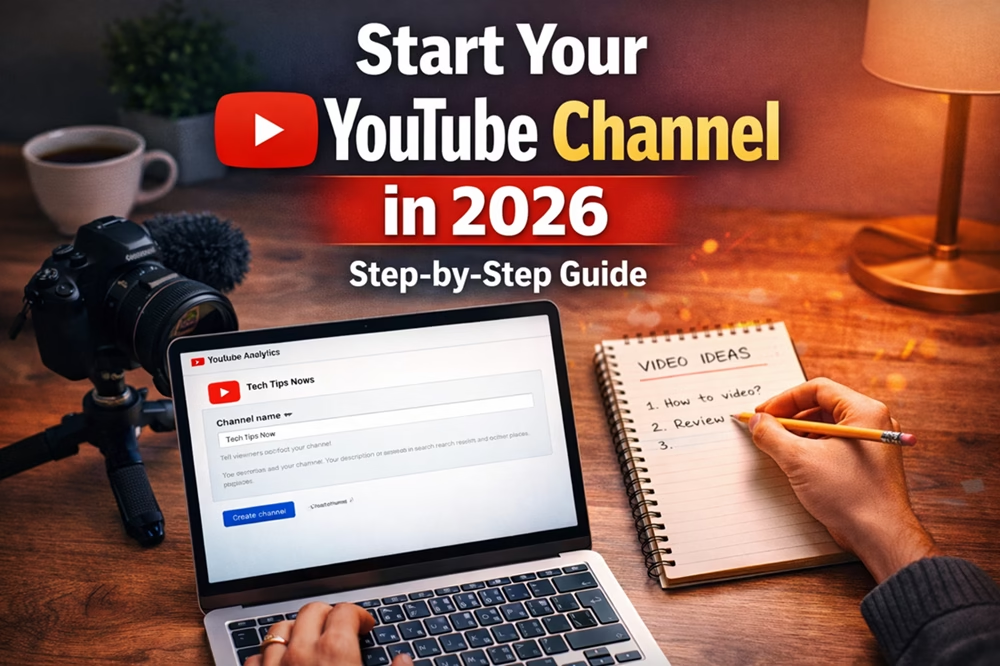
Getting a channel off the ground in 2026 is easier than ever — but doing it right is what separates creators who fade away from creators who scale. Below is a practical, no-fluff walkthrough (brand → setup → content → launch → grow) you can follow today.
Note: This guide references the current YouTube features and monetization paths. For official program thresholds and Shorts monetization details, see YouTube’s help pages. Also remember Google remains the parent company.
Table of Contents
Here is How to Start a YouTub e Channel in 2026
Quick checklist (before you start)
A good start will inspire your success. Know these essentials before anything else:
- Pick a clear niche and 2 audience personas
- Decide primary format: Long-form, Shorts, or hybrid videos
- Prepare a simple brand kit (your name, logo, colors, thumbnail style)
- Plan your first 12 video ideas (mixed: 3 long + 9 shorts)
Step 1: Pick a niche & name that scales
Why it matters: YouTube’s system rewards topical signals. A narrow niche helps the algorithm learn and recommend your content to the right viewers. Think about how YouTube will recommend your videos to viewers. Here is how to do it.
How to choose your niche:
Start with a topic that you can produce 100+ videos about.
Think about problems people pay to solve (monetizable) on the topic.
Research YouTube keywords: are viewers searching for “how to”, “review”, or “best”?
Give your channel a name: keep it short, searchable, and niche-relevant (e.g., “USA YouTube Growth” vs a generic personal name if you plan to scale a brand).
Quick Win: Include these elements in the channel name — “{niche} + {format/location/audience}.”
Some YouTube niches to avoid:
- Reused/compilation content
- Medical misinformation
- Violent/graphic content
- Kids content exploitation
- Crypto/Get-Rich-Quick schemes
- Faceless AI spam content
- Controversial politics/conspiracy
- Unlicensed movie/TV clips
Because they have a high risk of copyright, demonetization, or bans. Even though you can grow your channel for a while, it may collapse under policy enforcement. On the other hand, audiences are wary of low-effort or misleading content.
Step 2: Account setup, branding, and channel basics
Create a Google account (if you don’t have one).
Open YouTube, create a new channel, and fill these:
Channel display name (brandable + searchable)
Channel description (2–3 lines with primary keywords + value promise)
Links (your website, social, email) and branding (profile + banner)
Contact email in “About”. This will be useful to contact you for sponsorships.
Add a short channel trailer (30–60s) that tells new visitors who you are and what to expect.
Brand kit essentials you should prepare:
- Thumbnail template (3–4 word headline area)
- 1–2 brand fonts and 2 brand colors
- Short intro/outro (5–8 seconds) — but keep intros skippable
Step 3: Minimum production gear (starter to scale)
You don’t need expensive gear. Start small, upgrade later.
Starter kit (low budget):
- Smartphone with a good camera
- Lavalier mic for better audio
- Natural window light or affordable softbox
- A free video editor like DaVinci Resolve or CapCut
Tools when you want to level up:
- DSLR/mirrorless + 50mm lens
- Shotgun mic/audio recorder
- Softbox + backlight
- Video editor: Premiere Pro / Final Cut
YouTube Shorts production tip: vertical screen, strong captioning, and loud hooks in the first 2 seconds to capture attention quickly.
Step 4: Plan your first 12 videos (content sprint)
Start your YouTube channel on your topic as follows:
- 3 long-form tutorials (8–12 min long) that showcase depth
- 6 Shorts derived from or based on those tutorials (clips + quick tips)
- 3 evergreen explainers or FAQs
Why: The long-form videos show your authority and earn watch time; Shorts bring quick discovery and subscribers.
Batching workflow:
- Write for 3 long-form videos and identify 6 short clips.
- Film all long-form in 1–2 days.
- Edit the long-form videos and create short clips.
- Create thumbnails and schedule uploads.
Step 5: Upload checklist
Upload your finished video to YouTube. For each video, do this before publishing:
Title: include a primary keyword + benefit (keep it readable on mobile).
Description: Write 150–300+ words; place the main keyword in the first 1–2 lines; include timestamps and 2–3 helpful links.
Thumbnail: Custom, bold 3–4 word text, high contrast to attract viewers.
Tags: Include main keyword and common variations. It is optional but still useful.
Chapters: Add for long videos. This improves UX and search snippets.
Captions: Upload or edit auto-captions for accuracy. This helps retention and accessibility.
Pro tip: Schedule consistent publish times (same weekdays) to help habit formation with viewers.
If you use AI to generate these meta data, review and edit for improvement with your personal ideas.
Step 6: Shorts vs Long-form: a simple publishing plan
If you read this article up to here, I know that you are a beginner. For beginners, follow this plan:
- Week 1–4: 1 long-form + 3 Shorts per week
- Weeks 5–12: 2 long-form + 5 Shorts per week (if resources allow)
How to use them together:
- Turn your best long-form segments into Shorts (teasers, quick tips).
- Use a pinned comment or description to link to the Long-form video.
- Short captions should include the keyword + “full video” CTA.
Shorts monetization and YPP note: Shorts now have a revenue-sharing model inside the YouTube Partner Program. Check the official help pages for the latest details.
Step 7: Grow Your Channel (0 → 1K subscribers)
Apply these early tactics – your channel will grow fast:
CTAs: Add call-to-actions in the description and leave your comment asking viewers to subscribe for a specific next value.
Crosspost: Share your Shorts to Instagram Reels, Facebook Reels, and Pinterest video pins.
Collaborations: Join small collabs or guest segments with creators at +/− your size.
Viewer Comments: Answer comments for the first 2–3 hours after publish — early engagement matters.
Lead Magnet: You can create an email capture (use a simple lead magnet) to own traffic off the platform.
Monetization thresholds and eligibility can change — check YouTube’s Partner Program for exact criteria in your region. You can use other monetization methods, like affiliate marketing, before you are eligible for YouTube monetization.
Step 8: Optimize with analytics (first 90 days)
Don’t forget to analyze YouTube Analytics for any improvement. Watch it weekly:
First 15–30s retention (if this is low, improve your hook in your video for longer watch time)
Average view duration & percentage watched
CTR (thumbnail vs retention mismatch indicates clickbait)
Subscriber conversion (subscribers gained per view)
Traffic sources (from Shorts, Search, or Suggested driving views)
Test and iterate:
Rework titles/thumbnails for underperforming videos.
If a Short converts to subs well, make follow-ups in the same format.
Use YouTube’s A/B testing tools (where available) to compare thumbnails/titles — this tool is expanding in Studio.
Step 9: Stay policy-smart & original
YouTube enforces monetization and content policies strictly—especially around reused/AI-generated content. If you rely on AI tools, add clear value (editing, commentary, original footage). Review monetization & community guidelines before applying to YPP.
YouTube is also rolling out creator tools (AI suggestions, auto-dubbing) to speed production — these are great but shouldn’t replace your unique voice.
Step 10: Launch checklist & 30-day plan
Follow this checklist in the first 30 days of launching your YouTube channel:
Launch day:
- Publish channel trailer + 2 long-form + 3 Shorts across first week
- Share across social and in your email list
- Pin one Short + pin a comment linking to the cornerstone long-form video
30-day focus:
- Week 1: Establish brand & publish schedule
- Week 2: Test thumbnails; analyze CTR & retention
- Week 3: Create 2 collabs or shout-outs
- Week 4: Identify your top 3 videos and apply the winning formats in the upcoming videos.
Quick FAQ (mini)
Do I need 4,000 watch hours to monetize? Not exactly — YouTube has introduced Shorts-inclusive paths and updated thresholds; check the official YPP page for the latest country-specific rules.
Should I use AI to write scripts? Yes — but always add your expertise and edit heavily to avoid generic content and policy risks.
Final notes
The fastest way to fail is to treat YouTube like a hobby without a repeatable process. Build templates for scripting, filming, and thumbnails. Track a small set of metrics and iterate weekly. In 2026, winners are creators who combine consistent content, smart use of Shorts, and continuous optimization.
Key YouTube & YPP Terms
YouTube Partner Program (YPP)
The official program that allows creators to earn money from ads, memberships, and other monetization features once eligibility requirements are met.Watch Time
The total minutes viewers spend watching your videos. To qualify for YPP, you need 4,000 valid public watch hours in the past 12 months (or 10M Shorts views in 90 days).Subscribers
People who follow your channel. You need 1,000 subscribers to apply for YPP.AdSense Account
Google’s payment system that connects to your YouTube channel to receive earnings. Without it, you can’t get paid.Monetization Policies
Rules that determine if your videos are eligible for ads. Content with violence, adult themes, or misinformation often gets demonetized.RPM (Revenue per Mille)
The amount you earn per 1,000 views after YouTube’s cut. It includes ads, memberships, and other revenue streams.CPM (Cost per Mille)
How much advertisers pay per 1,000 ad impressions. Higher CPM niches (like finance or tech) can earn more, but it’s RPM that creators actually receive.Content ID
YouTube’s system that detects copyrighted material in videos. Using copyrighted music or clips without permission can block monetization.Demonetization (Yellow Dollar Sign)
YouTube limits or removes ads from a video due to policy violations or sensitive topics.Shorts Fund / Shorts Monetization
Special monetization for YouTube Shorts. Shorts views can count toward YPP eligibility and earn ad revenue.Super Chat & Super Stickers
Features in live streams where viewers pay to highlight their messages. Available only after joining YPP.Channel Memberships
Paid subscriptions viewers can buy to support a channel, giving them perks like badges or exclusive content.Copyright Strike
A penalty for using copyrighted content without permission. Three strikes can terminate your channel.
I hope you can start your YouTube channel easily and successfully after reading this article.
Next, read this >> How to Grow a YouTube Channel in 2026
Looking for a service to monetize your YouTube channel quickly? >>

Disclosure: We are partners or associates of Amazon and other top brands. We may earn a small amount from qualifying purchases without increasing the price. Please read our full affiliate disclosure here.

